Media Distance Probe
A free image and media component for controlled measurements on a responsive export.
Review an export
Place two references or enter their coordinates. Each example owns acceptance and a saved pair for this demo session.
Interface spacing
Check the gap between two references in an original interface export.
JavaScript is required to accept, save or restore a pair in this demo. The supplied measurements remain available.
1600 × 900 design units. Initial A (120, 160), B (440, 160).
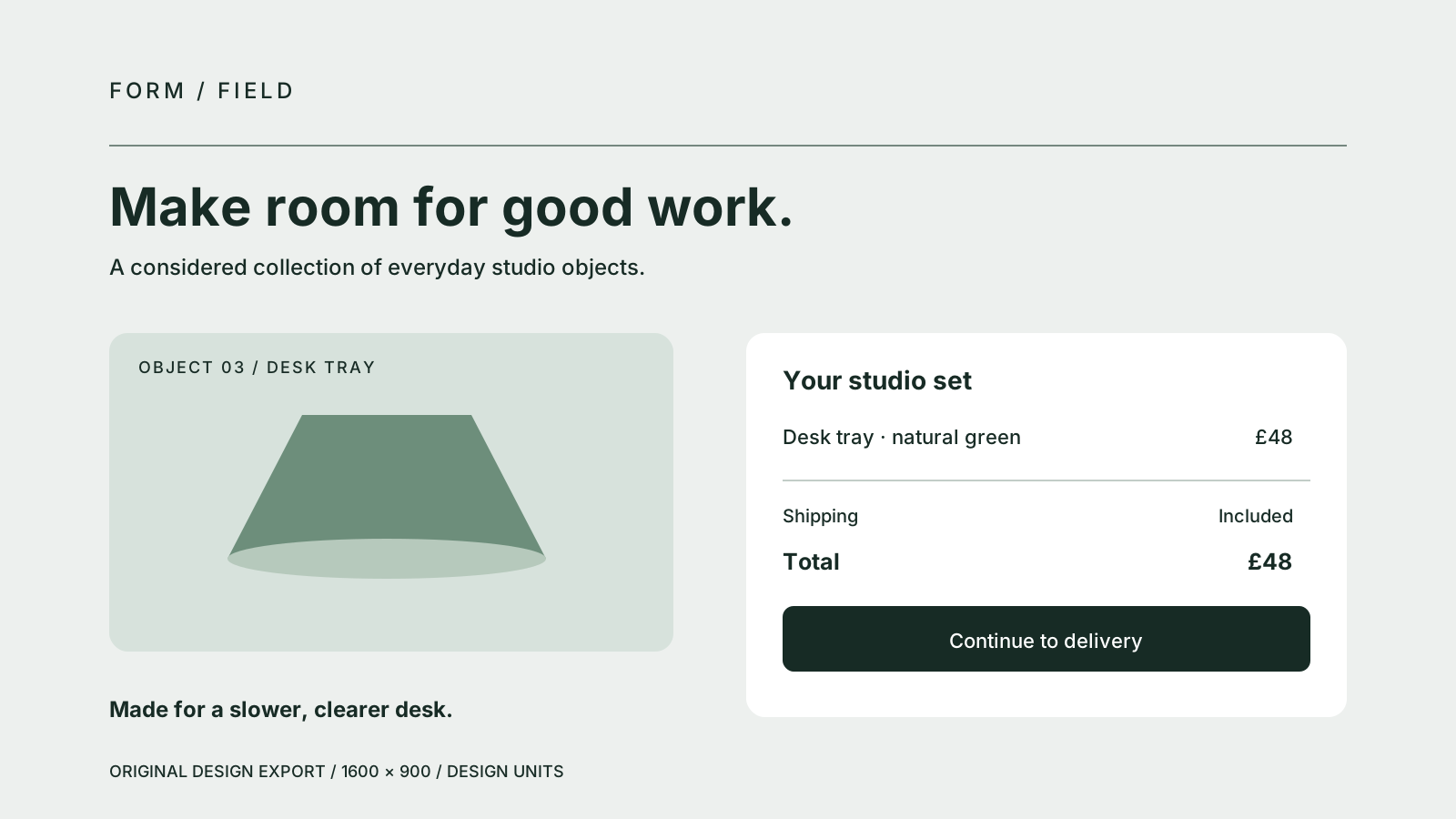
Committed distance320 design units
Committed coordinates: A (120, 160) · B (440, 160). Design units.
Supplied committed snapshot. Visual registration awaits verification of the current image.
JavaScript is required to edit coordinates. The supplied committed data and full image remain available.
Open full imageSaved pair supplied for this demo session.
Edition cover
Review a portrait cover against its saved design-space pair.
JavaScript is required to accept, save or restore a pair in this demo. The supplied measurements remain available.
1200 × 1600 design units. Initial A (120, 240), B (420, 640).
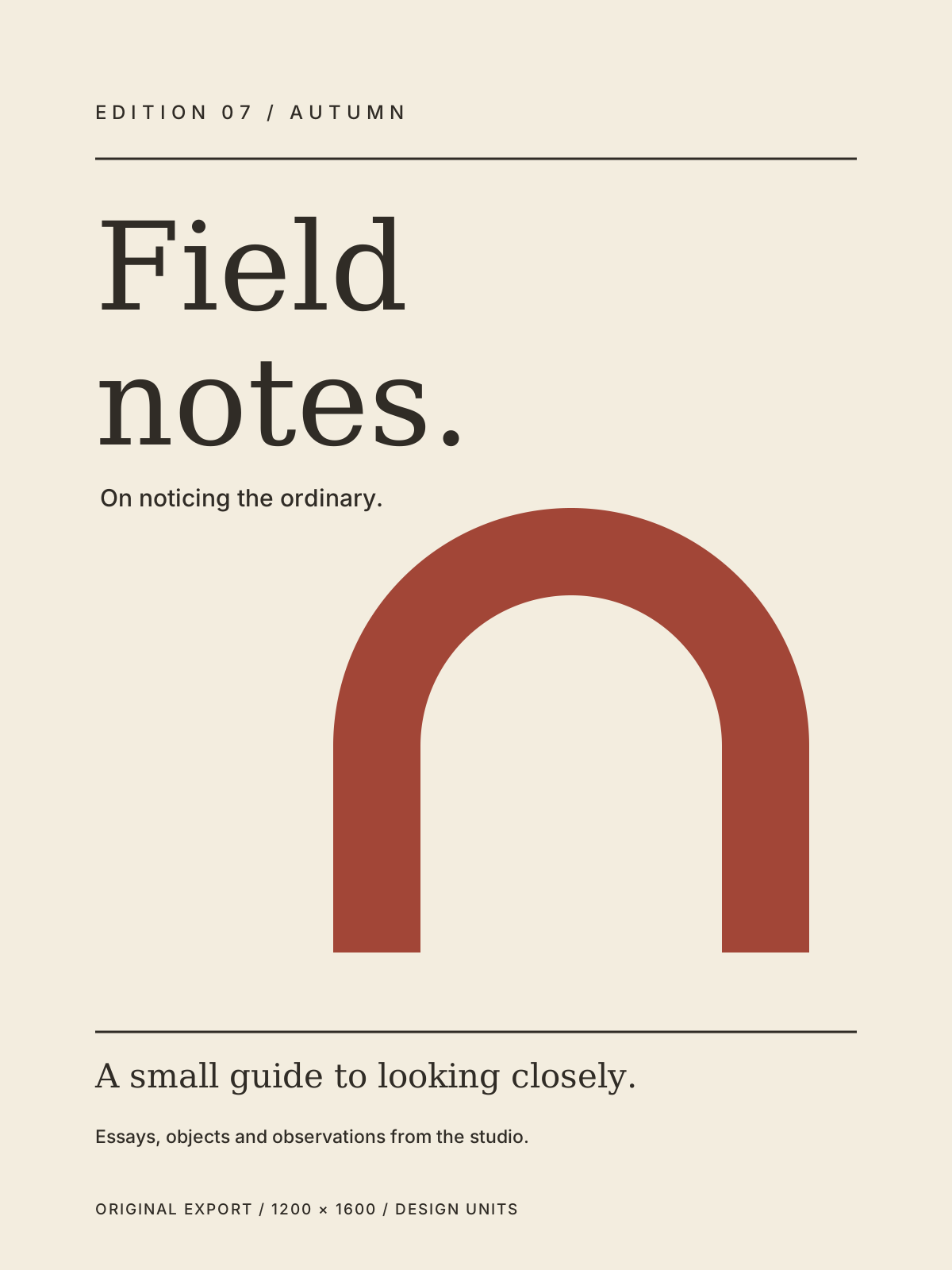
Committed distance500 design units
Committed coordinates: A (120, 240) · B (420, 640). Design units.
Supplied committed snapshot. Visual registration awaits verification of the current image.
JavaScript is required to edit coordinates. The supplied committed data and full image remain available.
Open full imageSaved pair supplied for this demo session.
Customise
Code
"use client";

import { useState } from "react";
import { MediaDistanceProbe, type MediaDistanceProbeProps, type MediaDistanceProbeValue } from "@/components/media-distance-probe";

const image = {
  key: "interface-review-v1",
  src: "/media-distance-probe/interface-spacing-study.svg",
  alt: "Original fictional studio checkout with a desk tray and order summary",
  width: 1600,
  height: 900,
};

export function MeasurementExample(props: Pick<MediaDistanceProbeProps, "aspectRatio" | "directPlacement">) {
  const [value, setValue] = useState<MediaDistanceProbeValue>({
    imageKey: image.key,
    a: { x: 120, y: 160 },
    b: { x: 440, y: 160 },
  });
  return <MediaDistanceProbe image={image} value={value} onValueChange={setValue}
    label="Interface spacing review" {...props} />;
}

<MeasurementExample />
Media Distance Probe is a free image and media component for Next.js and React, styled with Tailwind. It keeps two controlled points, their connecting line and the committed distance registered to a responsive image.
Use four native fields or qualified image placement to request coordinates in your declared design units; your app owns acceptance and saved data, without pixel, DPI or physical-calibration claims.
Install
Add the @te registry to your components.json once:
{
  "registries": {
    "@te": "https://templateempire.io/r/{name}.json"
  }
}
Then install the component:
npx shadcn@latest add @te/media-distance-probeUsage
"use client";

import { useState } from "react";
import { MediaDistanceProbe, type MediaDistanceProbeValue } from "@/components/media-distance-probe";

const image = {
  key: "interface-review-v1",
  src: "/media-distance-probe/interface-spacing-study.svg",
  alt: "Original fictional studio checkout with a desk tray and order summary",
  width: 1600,
  height: 900,
};

export function Example() {
  const [value, setValue] = useState<MediaDistanceProbeValue>({
    imageKey: image.key,
    a: { x: 120, y: 160 },
    b: { x: 440, y: 160 },
  });
  return <MediaDistanceProbe image={image} value={value} onValueChange={setValue}
    label="Interface spacing review" />;
}
Props
| Prop | Type | Default | Description |
|---|---|---|---|
| image | MediaDistanceProbeImage | required | key, src, alt, width and height describe one oriented source generation. Keys contain 1 to 128 UTF-16 code units; alt contains non-whitespace text. Width and height are finite from 0.001 to 1,000,000 design units. Use an ordinary relative or root path, or literal HTTPS URL; network paths, HTTP, fragments, credentials, controls, spaces and backslashes are rejected. Change key after changing bytes, src or extents. |
| value | MediaDistanceProbeValue | required | imageKey must equal image.key. Points a and b each have finite x and y within the inclusive 0 to width and 0 to height rectangle. Fractions and closed edges are valid; nothing is rounded, snapped or clamped. The line and committed distance always follow this supplied pair. Invalid input rejects the whole configuration. |
| onValueChange | (request: MediaDistanceProbeValue) => void | undefined | Requests the complete pair once per valid Apply or qualified image tap. Your app accepts, delays, rejects and saves it. With no callback, fields are read-only. A refused request remains unapplied; the leaf does not infer refusal, invent acceptance or retry. |
| label | string | required | Non-whitespace visible context and accessible figure name. The leaf does not introduce a heading. Consumer Unicode text wraps without silent truncation. |
| aspectRatio | number | 4 / 3 | Finite viewport width divided by height from 0.25 to 4. The complete image is contained inside it; letterbox space is outside the placement plane. Design extents remain independent of CSS size. |
| directPlacement | boolean | true | Shows native A/B radios and enables qualified primary down/up on the verified painted image. More than 8 CSS px of movement, leave, cancel, blur, hidden state, changed source or changed end geometry rejects the tap. No pointer capture or scrolling suppression is used. Unapplied fields require Apply or Revert first. |
| caption | string | undefined | Optional consumer-owned explanatory text. It wraps and uses natural Unicode direction; it does not change the source generation or measurement. |
| className | string | undefined | Root utilities merged with the default full-width sizing. Narrow embedded editors stack by their container width. Preserve the 20px marker gutter and outward focus space. |
Customisation
Four local tokens control opaque ink, surface, border and focus paint. Re-declare all four within a scoped theme so inherited aliases do not keep the outer theme. Native fields accept strict decimal or exponent text up to 64 characters, with no coercion or nonzero underflow. Apply requests a valid dirty tuple; Revert restores the latest committed pair. Equal semantic value objects retain unapplied fields, while a changed numeric tuple replaces them. Native reset follows the actual shared input.form owner, cancels a pending tap and restores latest committed drafts only after an unprevented current reset. Co-render the leaf when changing an external form association; imperative tree changes between commits are outside that boundary. CSS scale, rotation, skew, reflection, perspective and nonunit zoom disable direct placement when detected. Translation is supported. Numeric editing and full-image access remain; removing unsupported CSS alone does not guarantee automatic visual re-verification, so reconnect or reload the review for a new source check. Intervening scroll or transform history is not polled. JavaScript-disabled output is a labelled supplied snapshot with read-only fields, disabled edit actions and an ordinary full-image link.
.my-measurement {
  --distance-probe-ink: var(--foreground);
  --distance-probe-surface: var(--background);
  --distance-probe-border: var(--border);
  --distance-probe-ring: var(--foreground);
}

/* Add className="my-measurement" to your controlled probe. */
Frequently asked questions
- Is Media Distance Probe free for commercial use?
- Yes, for personal and commercial projects under the repository's MIT licence with the Commons Clause condition. Keep the required copyright, licence and Commons Clause notices in source. Distributing these components as a component library requires a separate agreement. See LICENCE.md for the complete terms.
- How do keyboard editing and JavaScript-disabled output work?
- Four native number fields provide the complete coordinate path, with native Tab order, associated validation messages, Apply and Revert. Separate A and B radios select the optional image shortcut. There is no authored animation. Before JavaScript attaches, the full image, source link and supplied committed data remain available, with read-only fields and disabled edit actions.
- How do I supply an image generation and scoped theme?
- Provide safe src and meaningful alt text with oriented finite design extents, then match image.key and value.imageKey. Change the generation key after changing bytes, URL or extents. Re-declare the four distance-probe tokens within your own theme scope. Coordinates describe the declared design rectangle; the component does not convert pixels, millimetres or DPI into a physical calibration.