Scroll Product Tour
A free scroll storytelling section with sticky product views and a complete static fallback.
Product tour
One operating rhythm, from first signal to final handoff
See how a shared command centre turns scattered product work into one clear route, while every step remains readable in the page.
Step 01 of 04
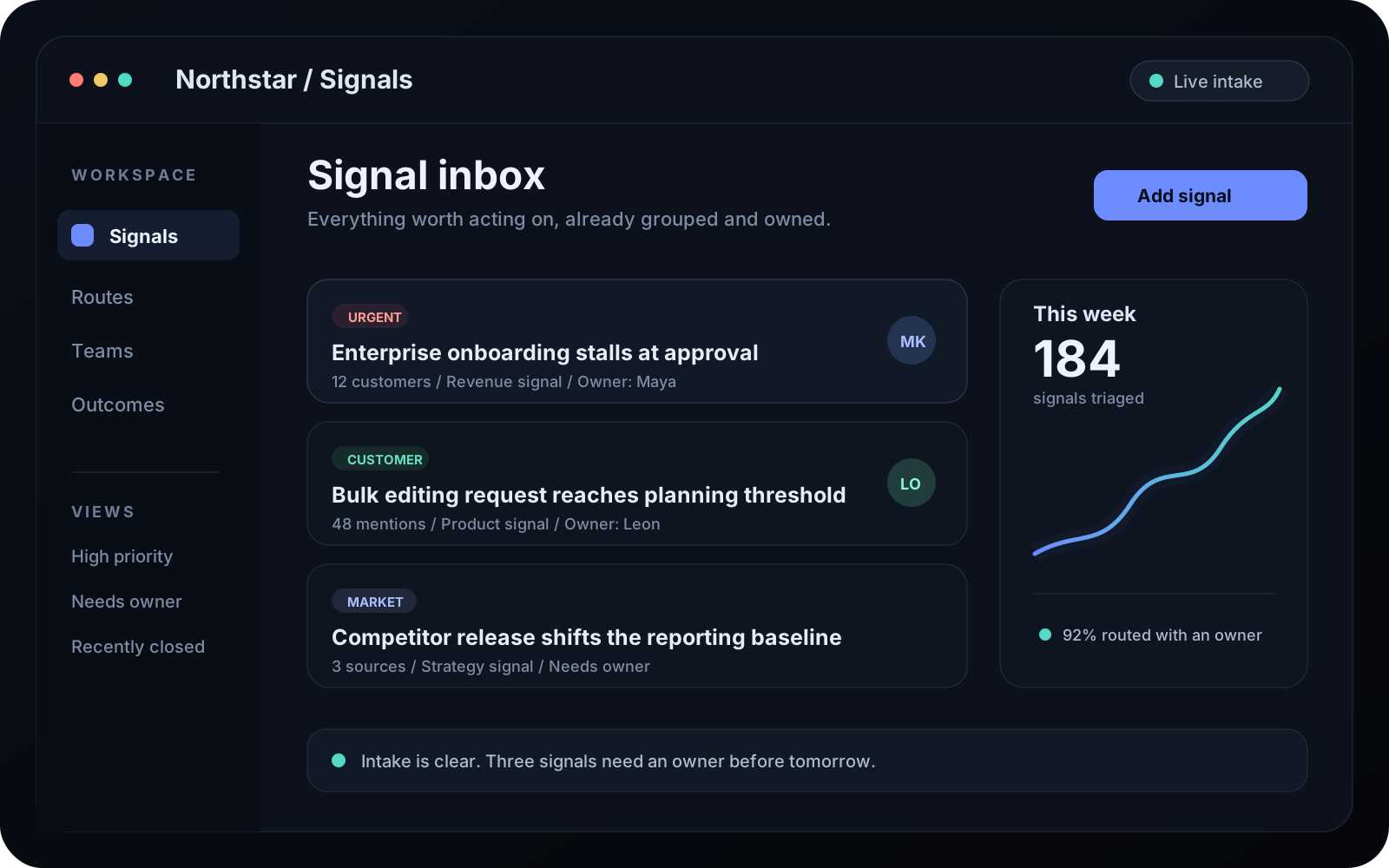
Capture every signal
Bring customer notes, product requests, and operational alerts into one calm intake. Priority and ownership are visible before the work starts moving.
14hsaved each week on triage and routing
Step 02 of 04
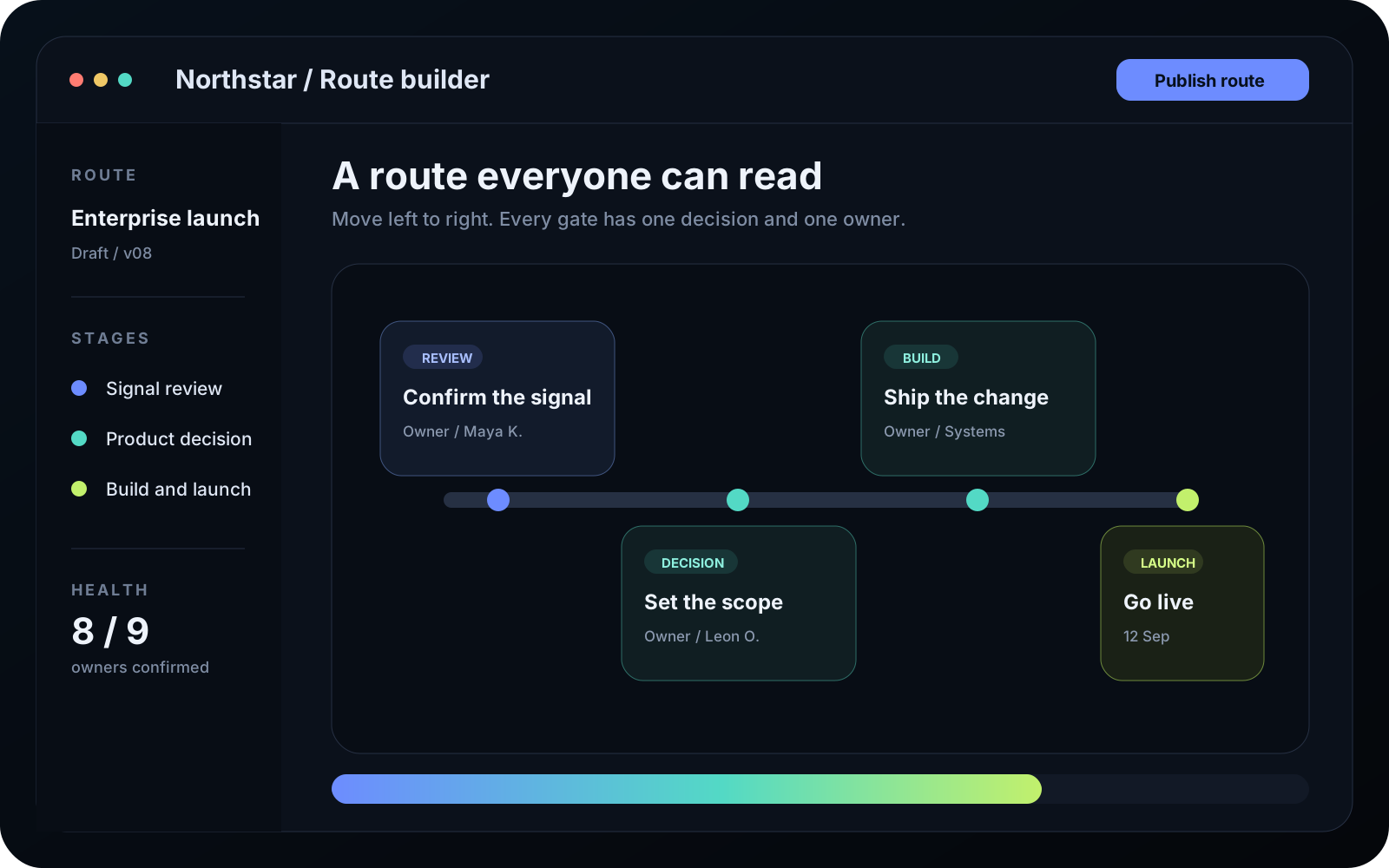
Shape the route
Turn an approved signal into a precise route across design, engineering, and launch. Every dependency has a named owner and a visible next move.
2.4xfaster approval cycles across teams
Step 03 of 04
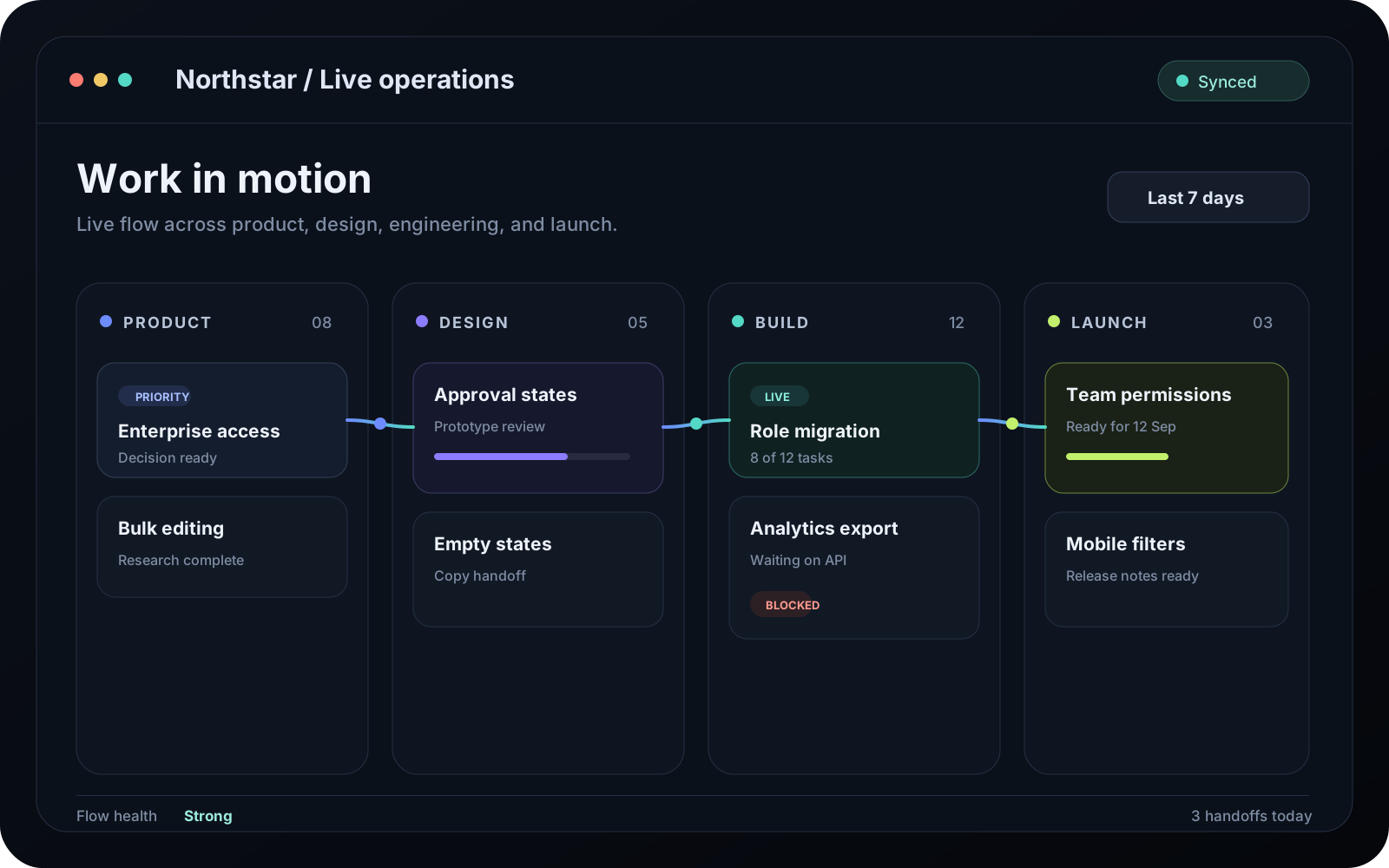
Watch work move
Follow live work without chasing status updates. The operating view shows what is active, what is waiting, and where a handoff needs attention.
38%less time lost between handoffs
Step 04 of 04
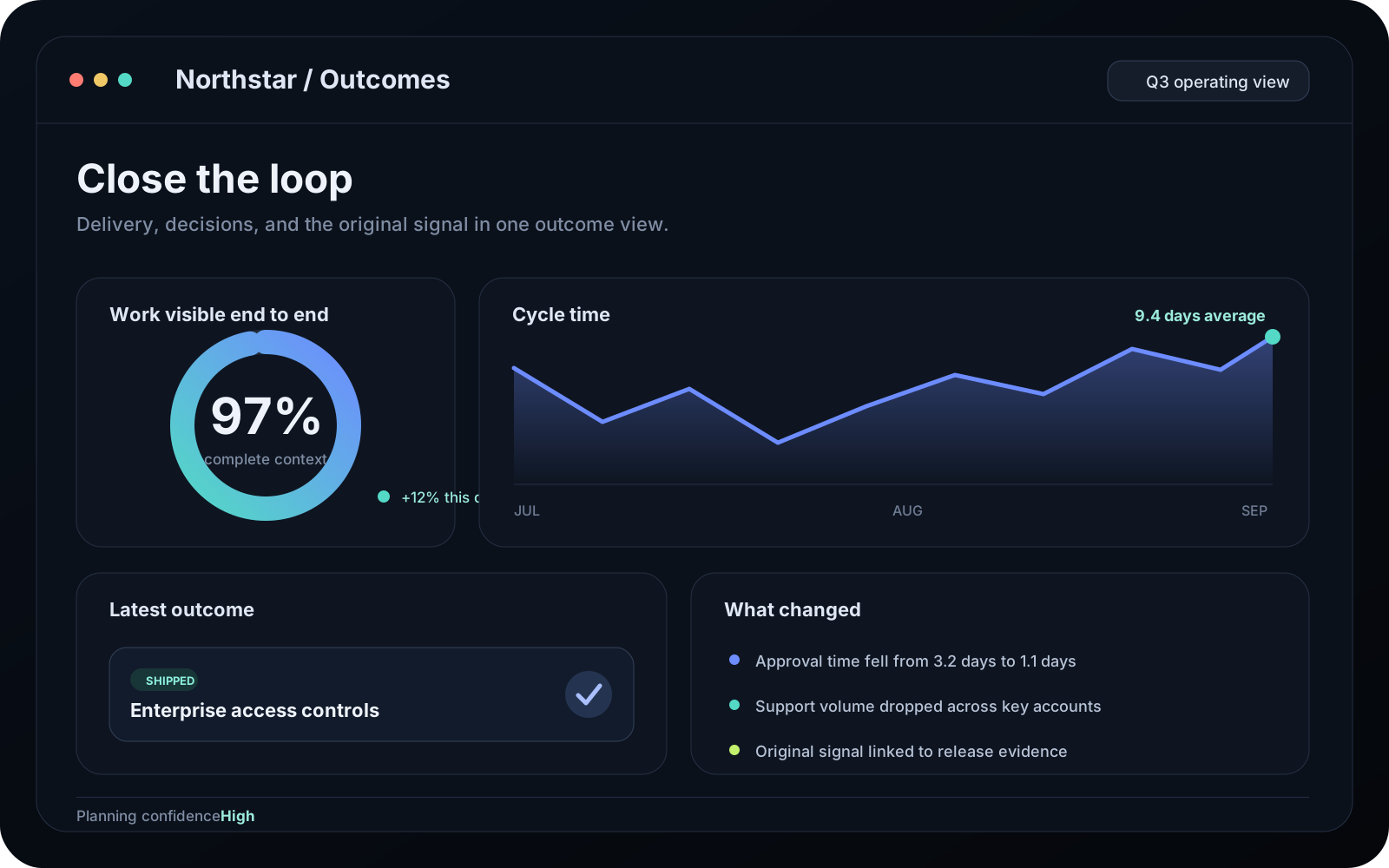
Close the loop
Connect delivery back to the original signal. Outcomes, decisions, and time saved stay attached, giving the next planning cycle a stronger starting point.
97%of active work visible end to end
Customise
Code
<ScrollProductTour
  eyebrow="Product tour"
  title="See the product move from signal to outcome"
  description="Follow one readable route through the work."
  steps={[
    {
      id: "capture",
      title: "Capture every signal",
      description:
        "Bring requests and alerts into one owned intake.",
      media: {
        src: "/images/tour-capture.png",
        alt:
          "Product inbox grouping new signals by owner.",
        width: 1600,
        height: 1000,
      },
      metric: {
        value: "14h",
        label: "saved each week",
      },
    },
    {
      id: "shape",
      title: "Shape the route",
      description:
        "Give every decision a clear owner.",
      media: {
        src: "/images/tour-route.png",
        alt:
          "Workflow connecting review and launch.",
        width: 1600,
        height: 1000,
      },
    },
    {
      id: "close",
      title: "Close the loop",
      description:
        "Connect delivery to the original signal.",
      media: {
        src: "/images/tour-outcomes.png",
        alt:
          "Outcome dashboard showing time saved.",
        width: 1600,
        height: 1000,
      },
    },
  ]}
/>
Scroll Product Tour is a free scroll product tour for React, Next.js, and Tailwind that pairs four readable product steps with sticky screenshot previews. Each preview responds to native page progress through a scoped GSAP ScrollTrigger while the headings, descriptions, metrics, and image alternatives stay complete in semantic document order.
On desktop, each row provides its own sticky media boundary, so the screenshots meet at a consistent viewport position without pinning, added spacer elements, or intercepted scrolling. On mobile or with reduced motion, the ordered list becomes a normal static stack with no extended scroll distance. Without JavaScript, desktop keeps the stable CSS geometry while every preview stays full-opacity and untransformed.
Install
Add the @te registry to your components.json once:
{
  "registries": {
    "@te": "https://templateempire.io/r/{name}.json"
  }
}
Then install the component:
npx shadcn@latest add @te/scroll-product-tourUsage
import { ScrollProductTour } from "@/components/scroll-product-tour";

const steps = [
  {
    id: "capture",
    title: "Capture every signal",
    description: "Bring requests and alerts into one owned intake.",
    media: {
      src: "/images/tour-capture.png",
      alt: "Product inbox grouping new signals by owner.",
      width: 1600,
      height: 1000,
    },
    metric: { value: "14h", label: "saved each week" },
  },
  {
    id: "shape",
    title: "Shape the route",
    description: "Give every decision and dependency a clear owner.",
    media: {
      src: "/images/tour-route.png",
      alt: "Workflow connecting review, approval, and launch.",
      width: 1600,
      height: 1000,
    },
  },
  {
    id: "close",
    title: "Close the loop",
    description: "Connect delivery back to the original signal.",
    media: {
      src: "/images/tour-outcomes.png",
      alt: "Outcome dashboard showing completion and time saved.",
      width: 1600,
      height: 1000,
    },
  },
];

export default function Page() {
  return (
    <ScrollProductTour
      title="See the product move from signal to outcome"
      description="Follow one readable route through the work."
      steps={steps}
    />
  );
}
Props
| Prop | Type | Default | Description |
|---|---|---|---|
| eyebrow | string | "Product tour" | Introductory label rendered above the section heading. |
| title | string | required | Section heading rendered as the component's single h2. |
| description | string | undefined | Optional supporting section copy. |
| steps | { id: string; title: string; description: string; media: { src: string; alt: string; width: number; height: number }; metric?: { value: string; label: string } }[] | required | Three to six ordered steps with stable ids, intrinsic product media, and optional outcome metrics. |
| layout | "media-left" | "media-right" | "media-left" | Desktop media column placement. DOM order remains step copy followed by its image. |
| stepHeight | number | 82 | Minimum desktop step height in viewport-height units, clamped from 62 to 120. |
| stickyOffset | number | 96 | Desktop sticky preview offset in CSS pixels, clamped from 64 to 160. |
| scrub | number | 0.45 | ScrollTrigger catch-up duration in seconds, clamped from 0.1 to 1.2. |
| previewScale | number | 0.94 | Inactive preview scale, clamped from 0.88 to 0.99. |
| transitionDistance | number | 24 | Preview travel distance in CSS pixels, clamped from 0 to 48. |
| radius | number | 24 | Preview corner radius in CSS pixels, clamped from 8 to 36. |
| className | string | undefined | Additional classes merged onto the section root. |
Customisation
Scroll Product Tour exposes four Tier 3 colour tokens. --scroll-tour-surface controls the preview frame, --scroll-tour-muted keeps supporting copy readable, --scroll-tour-border defines resting dividers and rails, and --scroll-tour-accent colours the progress marker. Their semantic fallbacks work with both the Template Empire tokens and a standard shadcn theme:
:root {
  --scroll-tour-surface: var(--surface, var(--card, var(--background)));
  --scroll-tour-muted: var(--muted-foreground, var(--muted, var(--foreground)));
  --scroll-tour-border: var(--border);
  --scroll-tour-accent: var(--ring, var(--primary, var(--foreground)));
}
Frequently asked questions
- Is Scroll Product Tour free for commercial use?
- Yes. Scroll Product Tour is MIT licensed, so you can use it in personal and commercial projects without attribution.
- How does Scroll Product Tour handle accessibility and reduced motion?
- The section is one labelled region with an ordered list, meaningful image alternatives, visible step text, and optional metrics. It never intercepts native scrolling or moves semantic copy. Reduced motion and mobile layouts show the complete static stack immediately. No-JavaScript rendering remains complete and full-opacity, with only the desktop CSS sticky geometry retained.
- How can I customise the sticky product tour?
- Use layout to place media on either desktop side, then tune stepHeight, stickyOffset, scrub, previewScale, transitionDistance, and radius. Override the four scroll-tour colour tokens on an ancestor to match your theme while preserving the semantic defaults.